LS25 Extended HUD V1.0.0.0

LS 25 Other
LS25 Extended HUD V1.0.0.0
More overview in Farming Simulator 25!
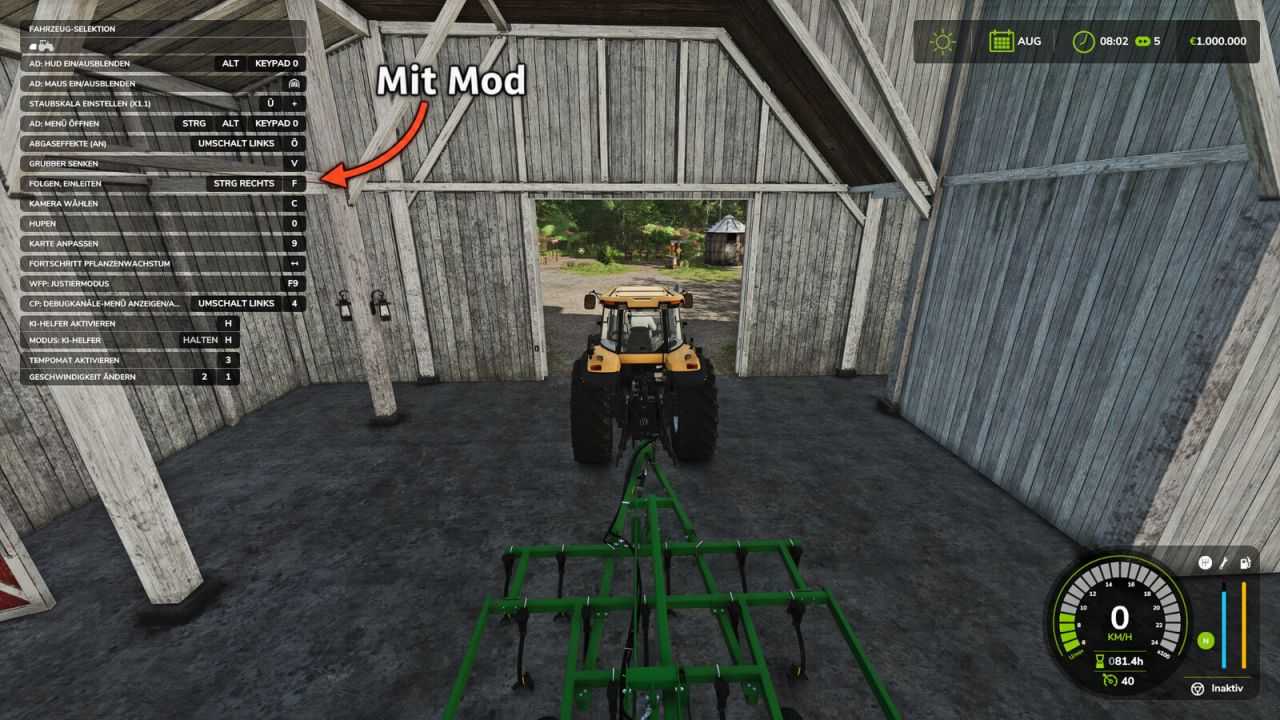
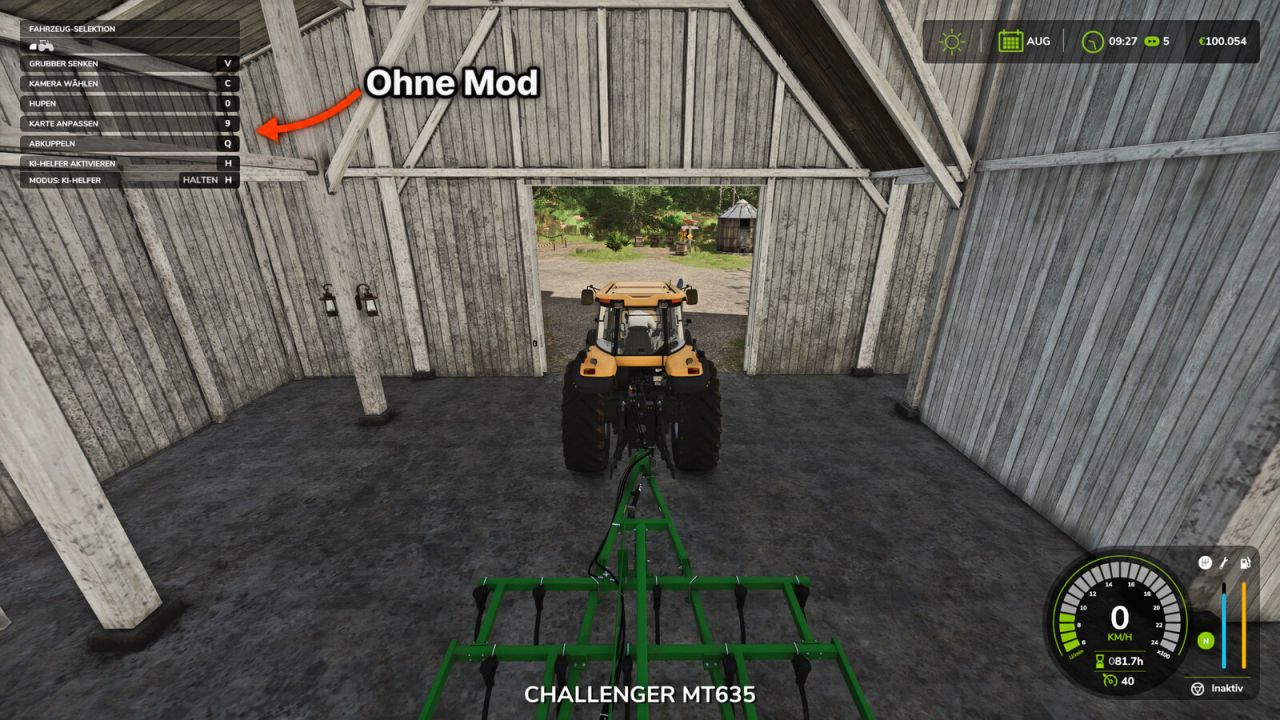
In the standard game, the F1 help window only shows a small selection of the available actions. Extended HUD expands this display so you can see all key bindings for the current vehicle and implement directly, including those from other mods such as AutoDrive or Courseplay.

Features:
Displays significantly more entries in the F1 help window
Key bindings from other mods are also displayed
No more lengthy searches in the control settings
Ideal when using many mods and new vehicles

Controls:
F1 – Show/hide the help window (as usual)

Multiplayer:
Works in single-player and on servers.
Version 1.0.0.0 – Initial release

Credits:
MrMorty92

Do you know what Farming Simulator 19 Mods / Farming Simulator 22 Mods are? We bet that you've heard of them! However, if you are one of those people who are still not aware of this great feature, we can explain what it's all about! Downloading FS19 mods / FS22 mods is one of the greatest ways to upgrade your Farming Simulator 19 / Farming Simulator 22 game with just few clicks. All that you have to do is select Farming Simulator 19 mod / Farming Simulator 22 mod Download and supplement your game with it. We can give you a wide variety of all sorts of ingenious modifications so that each of you could find the most suitable solution. However, the best way to see how it works is just to try and to explore these FS 19 mods / FS 22 mods features right now.


You may also like...

Leave a Reply