LS25 Automatic Vehicle FOV V1.3.0.0

LS25 Automatic Vehicle FOV V1.3.0.0
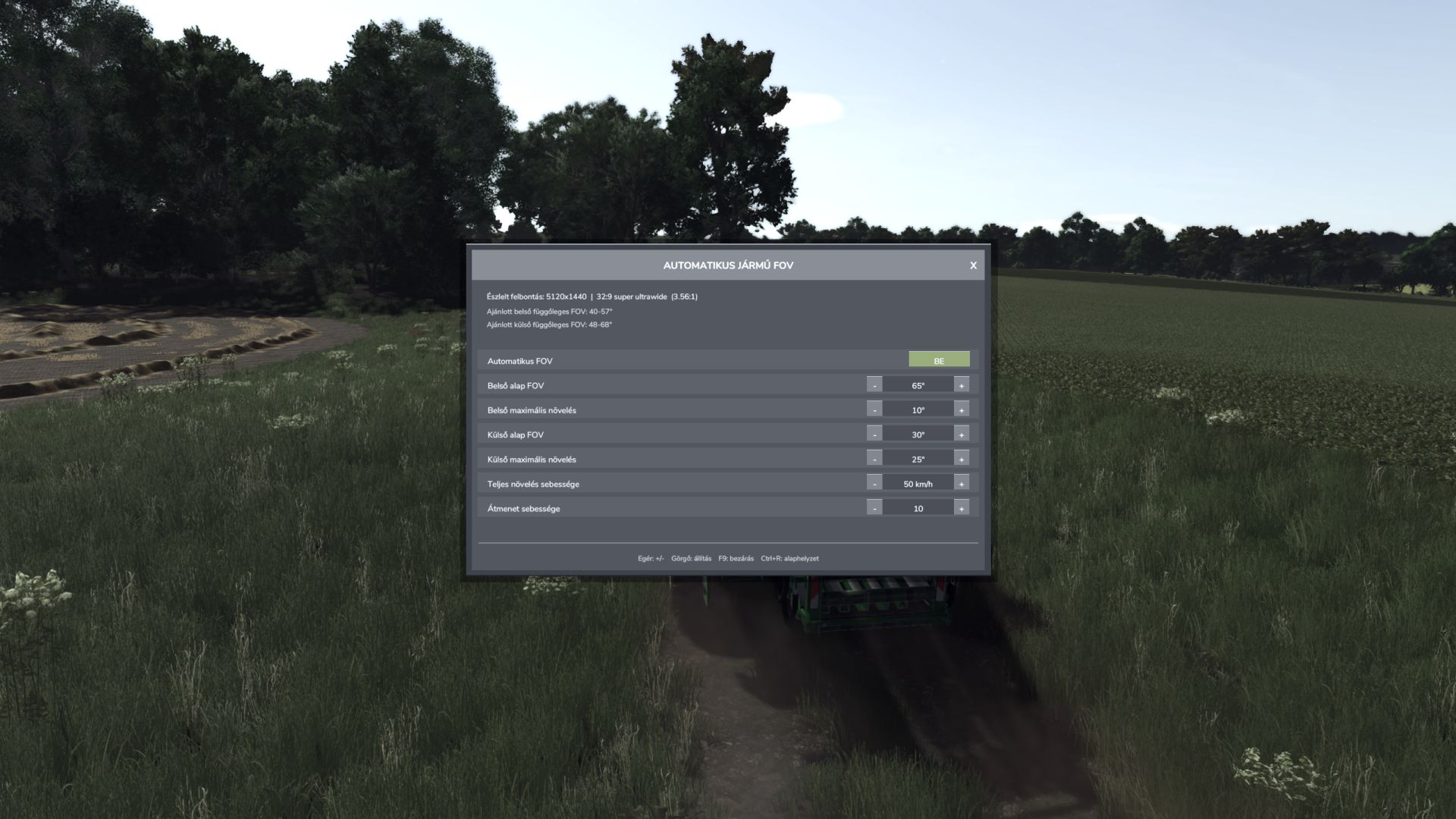
Automatic Vehicle FOV smoothly changes the vehicle camera field of view according to speed.
Inside and outside cameras have separate base FOV and maximum boost values.
Features:
Automatic, speed-dependent inside and outside vehicle FOV.
Smooth camera transition without sudden jumps.
Automatic screen resolution and aspect-ratio detection.
Recommended inside and outside vertical FOV ranges.
Separate manual inside and outside FOV mode.
Compact mouse-operated settings panel with clickable minus/plus controls and mouse-wheel adjustment.
Every change is applied immediately and saved automatically; there is no APPLY button.
Resolution-based FOV ranges are advisory only and never overwrite the selected values.
Settings are stored in the common FS25 user profile and loaded again on the next start.
Client-side multiplayer operation; other players’ cameras are not modified.
Controls:
F9: open or close the settings panel.
Mouse: use the ON/OFF, minus, plus and close buttons.
Mouse wheel: adjust the value under the pointer.
Escape: close the panel and restore normal mouse control.
Settings file:
Documents/My Games/FarmingSimulator2025/modSettings/FS25_AutomaticVehicleFOV.xml
Version 1.3.0.0 also repairs an empty settings file by writing the current/default values on load.
V1.3.0.0
Fixed XML settings persistence. Version 1.2.9.0 incorrectly created an empty settings file.
Settings are now loaded correctly on the next game start.
Every mouse adjustment is applied immediately and saved automatically.
Removed the Apply button and its associated behavior.
Removed keyboard-based value adjustment and reset controls.
F9 still opens and closes the settings panel.
Resolution-based FOV ranges are informational recommendations only.
Updated the README to reflect the mods actual behavior.