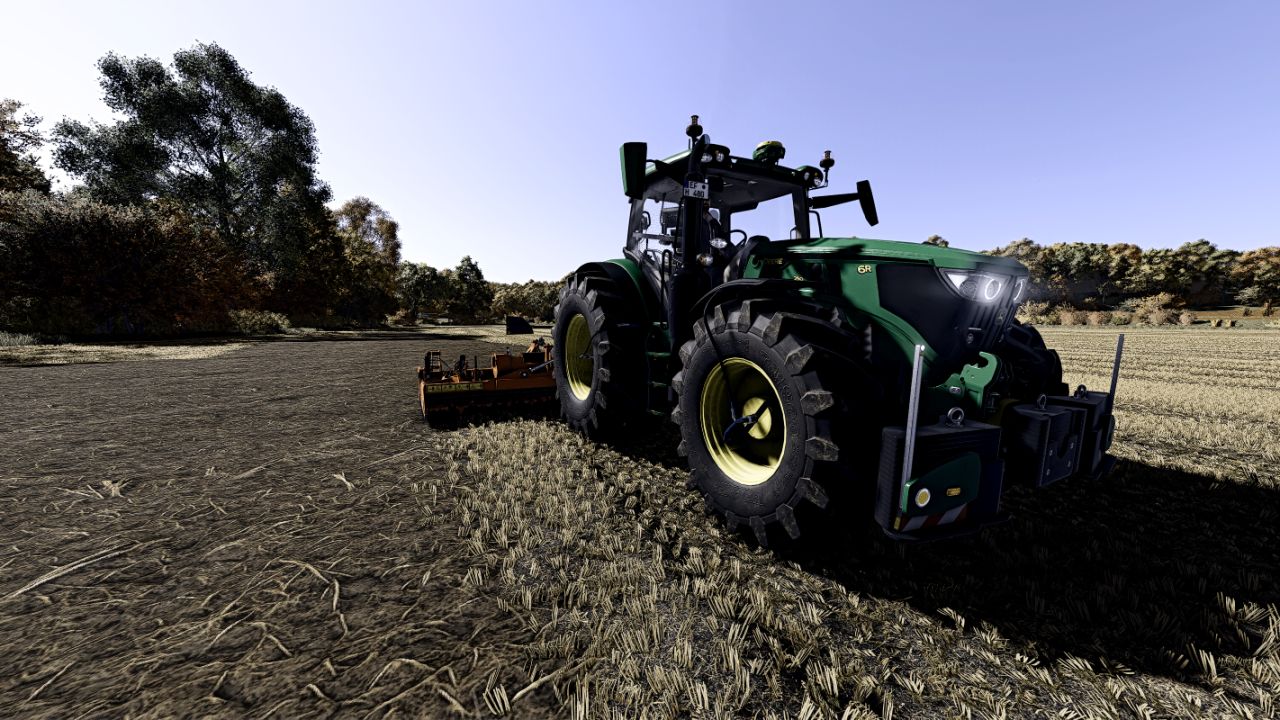
LS25 Realer Shader V1.0.0.0

LS 25 Other
LS25 Realer Shader V1.0.0.0

Reshade with add-on support must be installed.
Disable in the settings of the LS25 HDR!
The shader includes slight adjustments to Martysmods Regrade. This option is only available by buying the respective FX files on the Martysmods website. However, color degrees settings are only minimal and by no means a must. Even without a regrade, the shader looks like in the pictures.

Copy the ini configuration file in the following path:
C: / Program Files (X86) / Steam / Steamapps / Common / Farming Simulator 25 / X64

Copy the folder with the lighting settings, in the following deposit: (and then select Ingame with the extended settings)
Documents / My Games / Farmingsimulator2025 / ModSettings / FS25_Additionalgamesettings / Lighting

Required mods:
Additional Game Settings
Credits:
Chris810

Do you know what Farming Simulator 19 Mods / Farming Simulator 22 Mods are? We bet that you've heard of them! However, if you are one of those people who are still not aware of this great feature, we can explain what it's all about! Downloading FS19 mods / FS22 mods is one of the greatest ways to upgrade your Farming Simulator 19 / Farming Simulator 22 game with just few clicks. All that you have to do is select Farming Simulator 19 mod / Farming Simulator 22 mod Download and supplement your game with it. We can give you a wide variety of all sorts of ingenious modifications so that each of you could find the most suitable solution. However, the best way to see how it works is just to try and to explore these FS 19 mods / FS 22 mods features right now.


You may also like...

Leave a Reply

Your email address will not be published. Required fields are marked *