
LS25 Construction Favorites V1.0.0.0


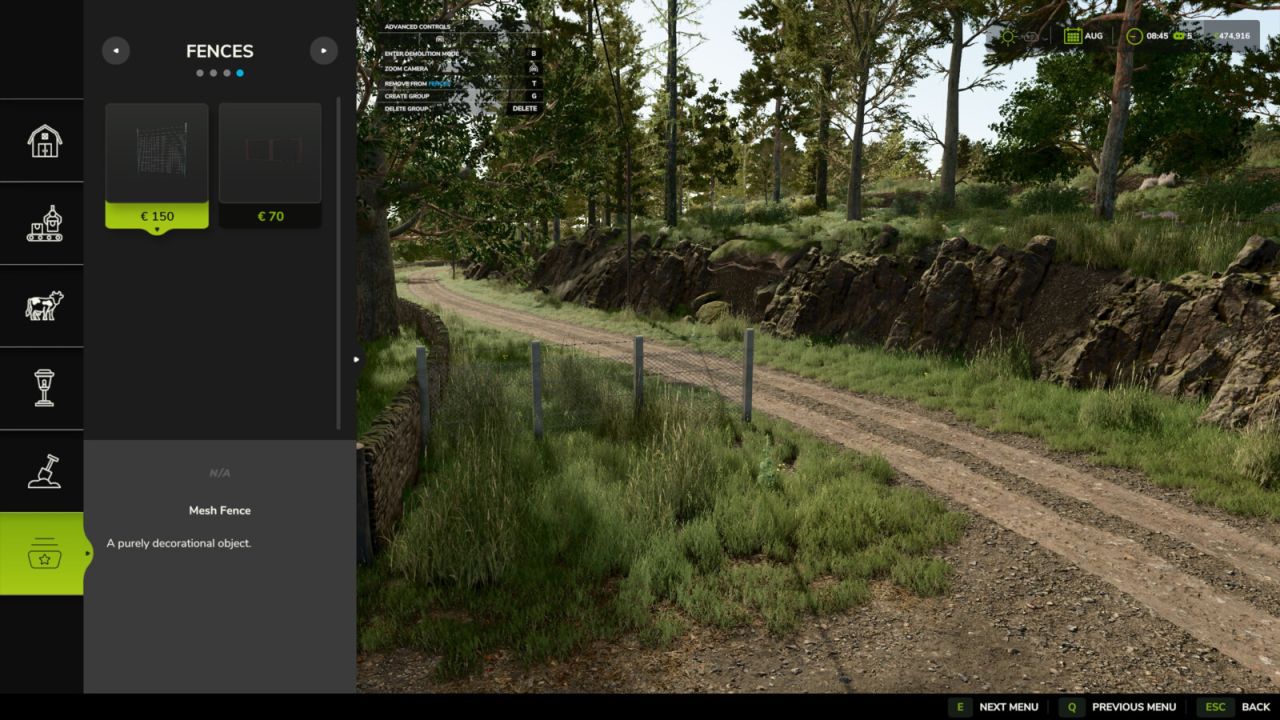


LS25 Construction Favorites V1.0.0.0
Add a touch of convenience to your game by organizing your most used buildings and landscaping tools. Instead of constantly searching for the same items in the construction menu, you can now save your favorite items in up to 9 customly colored groups for quick and easy access.
Features:
– A new “Favorites” category right inside the construction menu.
– Full support for all base game, DLC, and modded placeables, including landscaping brushes.
– Create up to 9 customizable groups with unique names and distinct colors.
– Quickly identify your favorited items by their color-coded star icons.
– Automatically removes favorites from uninstalled mods and DLCs.
Hotkeys:
– Press ‘T’ to add or remove the selected item to/from the active favorite group.
– Press ‘G’ to cycle through favorite groups or create new groups.
– Press ‘Delete’ to delete the currently active group.
For more info, bug reports, or to contribute, check out GitHub (modnext/constructionFavorites).


