LS25 Courseplay: Unload Me V1.1.1.0


LS25 Courseplay: Unload Me V1.1.1.0
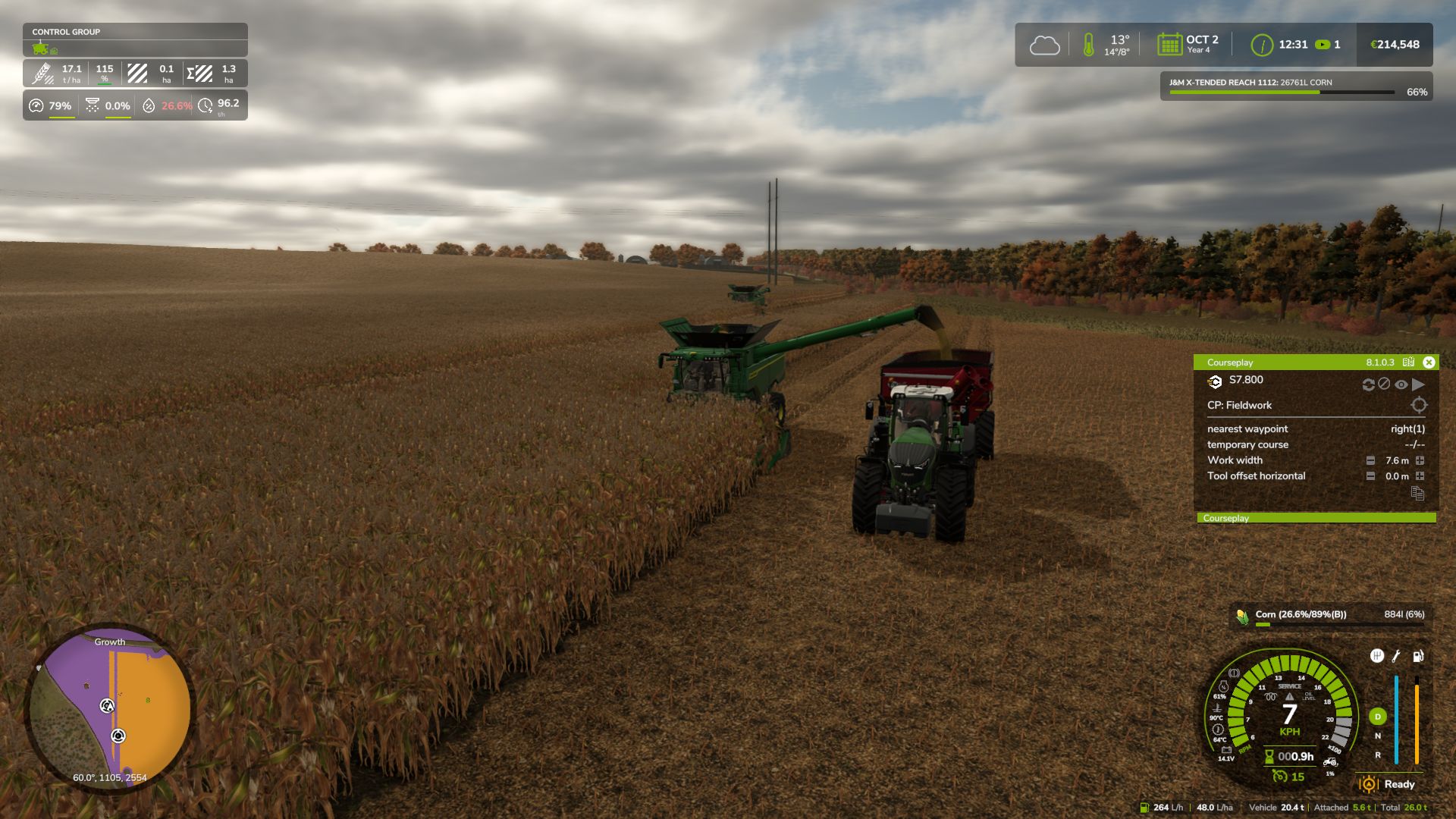
Courseplay: Unload Me enables Courseplay unloader tractors to automatically track, match speed, and unload combines driven manually by the player on the go.
Features:
Unload player-driven combines on the move without hiring Courseplay AI for the combine.
Unloader automatically matches combine speed and aligns trailer under the pipe.
Unfolding the combine pipe automatically summons the nearest idle Courseplay tractor.
Folding the pipe acts as a dismiss command: the tractor safely steers away and departs.
Starting to drive after calling while stopped won’t strand the tractor; it chases and catches up.
Right Shift + U: manually summon the nearest unloader on demand.
Right Shift + I: toggle advance auto-call when tank reaches 80% capacity.
Requires Courseplay for FS25.
V1.1.1.0
– Full NEXAT & Modular Carrier Support (NexCo module): Added full compatibility for wide-span carriers with right-side discharge pipes. Fixed pipe offset calculations so the trailer aligns directly under the spout without lagging behind.
– Anti-Collision & Smooth Parallel Approach: Eliminated sharp steering turns into the harvester. Unloaders now approach smoothly and strictly parallel to the machine (maximum 4° convergence angle) with guaranteed safety clearance from tracks, wheels, and the cab.
– Accurate Standstill Alignment: When a combine stops with a full tank, the unloader pulls up precisely under the spout and comes to a full stop without creeping or drifting into the combine.
– Bug Fixes & Improvements: Fixed the Lua error “attempt to call missing method getAIDirectionNode” on vehicles lacking AI specialization. Unified reference node architecture for 100% stable tracking on standard combines, forage harvesters, and attached implements.