LS25 Kirikouano Menu HUD V1.0.0.0

LS25 Kirikouano Menu HUD V1.0.0.0
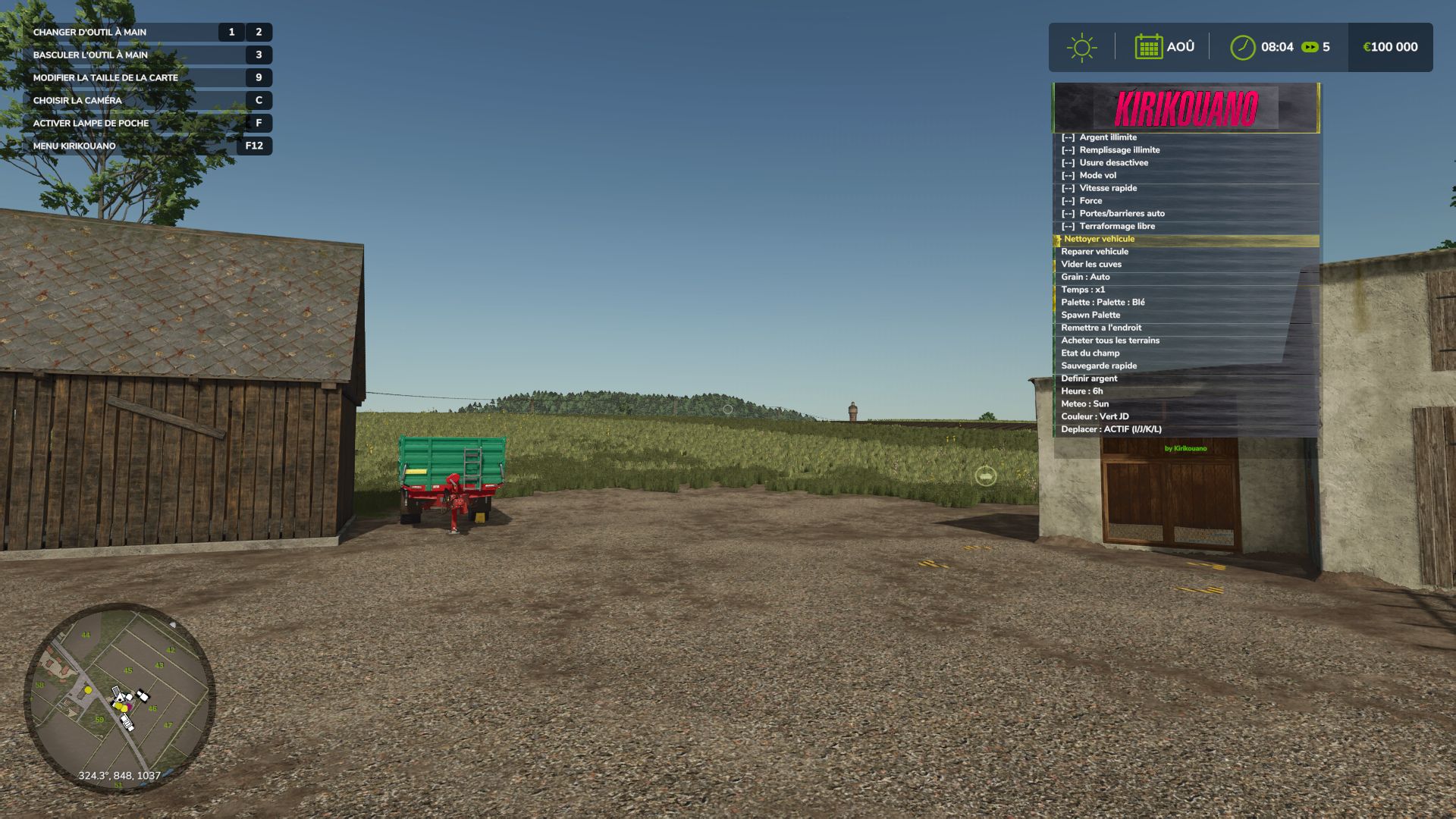
Kirikouano menu: F12 opens/closes a modular and compact panel. Includes silver, full fill, no wear, flight, fast speed, strength, automatic doors/barriers and free terraforming (toggles); clean/repair/empty vats, choose grain, spawn pallets/bales, buy all terrain, field status editor, right overturned vehicle, quick save, movable and recolorable panel. Keyboard navigation (wheel/click or Up/Down/Enter) by default.
Controller: no buttons automatically assigned (to avoid any conflict with your own settings) — assign the “KM_MENU_*” actions yourself in Options > Controls > Controller if necessary. The panel moves with the dedicated I/J/K/L keys (not the arrows, to avoid conflicts with the camera).
Note: Time and Weather actions use game developer console commands and require the “-cheats” launch option; all other features work without it.
Kirikouano. Do not redistribute or reupload without permission.